
In Ostendis, only one response template can ever be defined as the default template. If you accidentally set the wrong template as default, you can easily correct this.
How to proceed
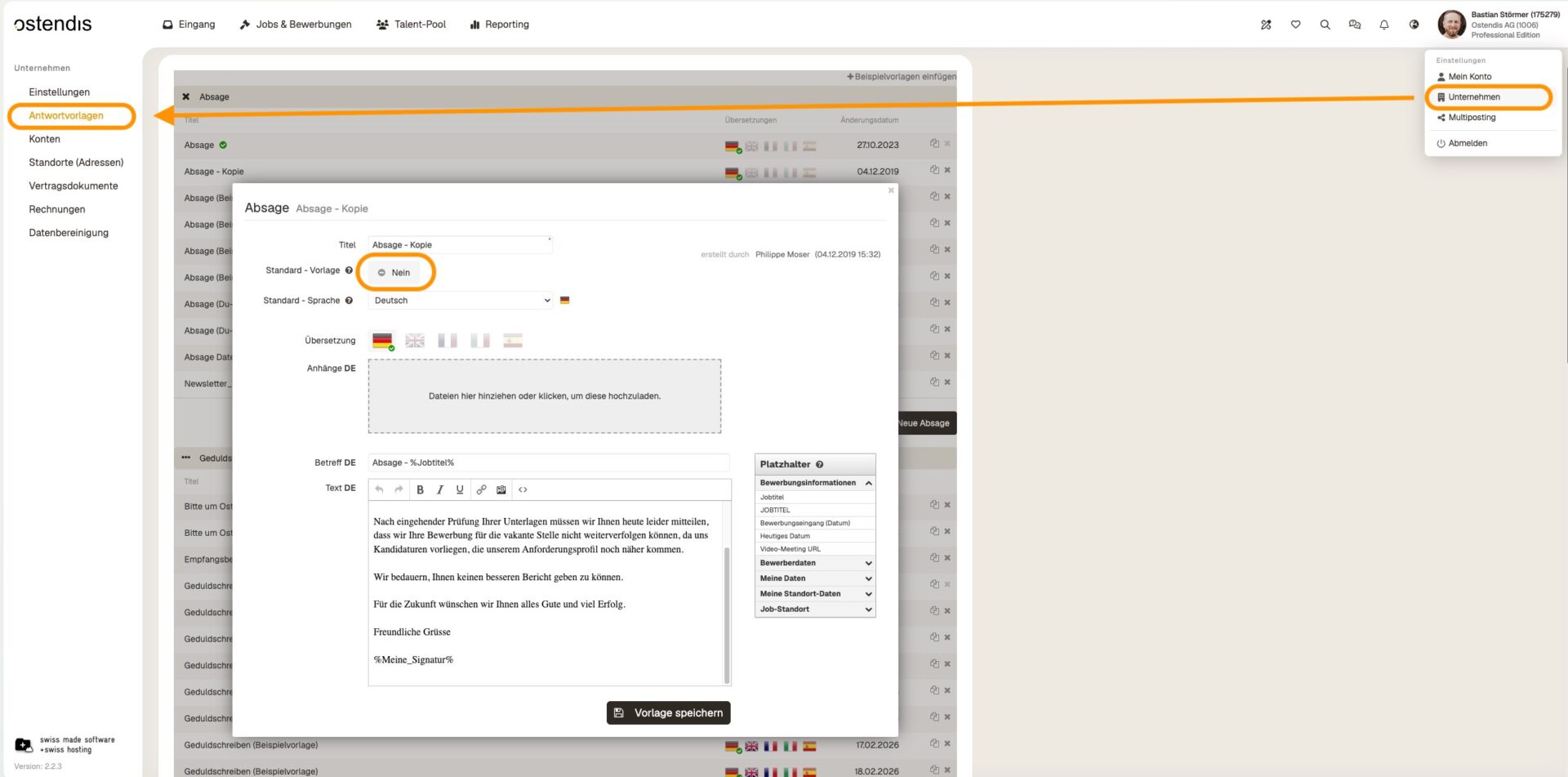
- Go to Company → Response Templates.
- Open the response template that is to be used as the default template in the future.
- Under “Default Template”, change the setting from “No” to “Yes”.
- Save the change.
As soon as you set a new template as the default template, the previous default template will automatically be set to “No”. You do not need to adjust or delete it separately.
💡 Tip:
There can only be one default template at a time. All other response templates remain as normal templates and can still be selected if required.
Wie hilfreich war dieser Beitrag?
