
Application Management – How can I delete a scheduled application response for individual applicants?

How can I delete a scheduled application response for individual applicants?

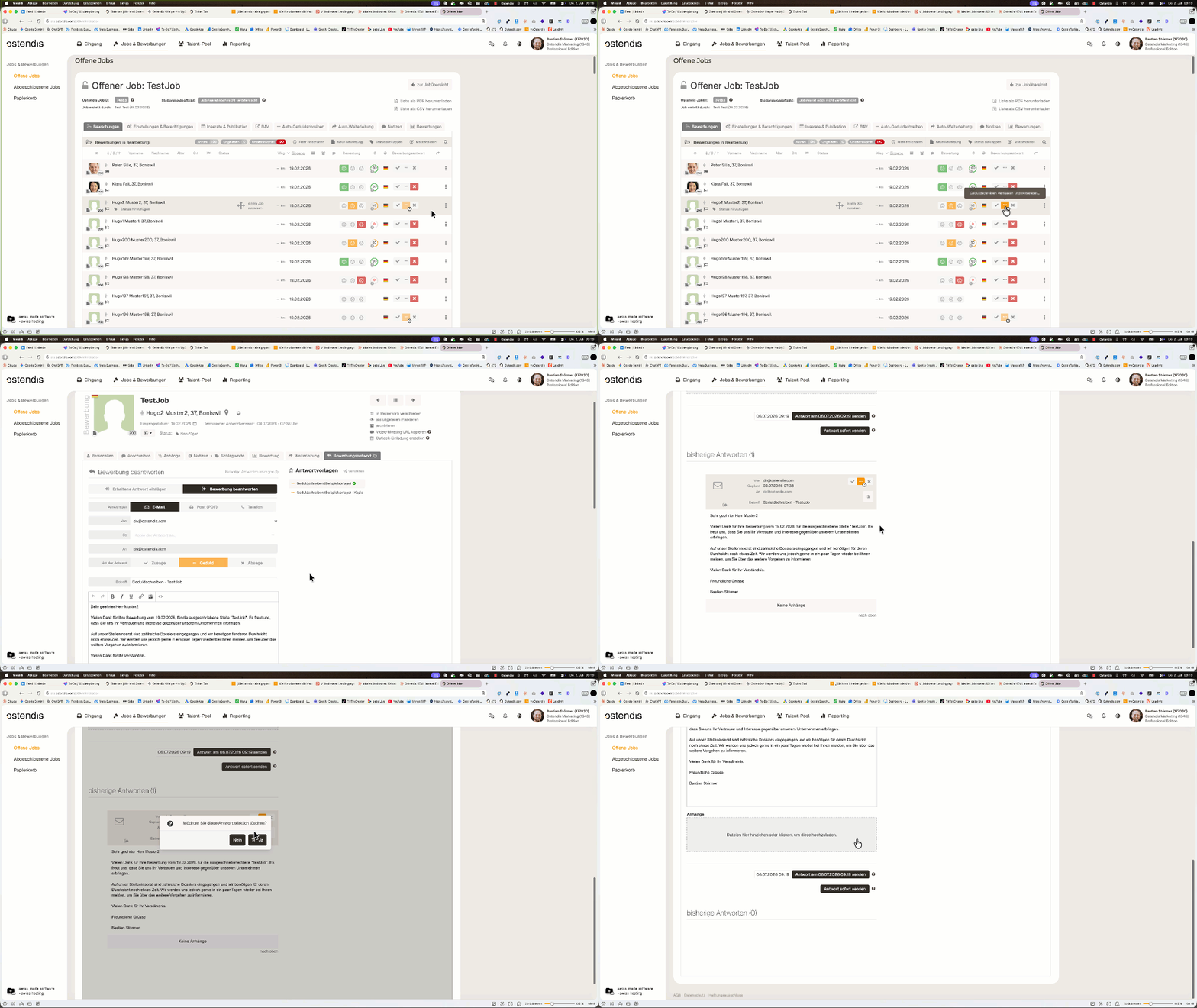
If you want to prevent an already scheduled application response (e.g. an automatic rejection) from being sent to a specific person, you can simply delete it.

How to proceed

  1. Open the relevant application.
  2. Switch to the “Application response” tab.
  3. Find the scheduled response that should not be sent.
  4. Click the trash can icon to delete the scheduled application response.
The message will then no longer be sent to this person.
💡 Tip:
Deleting a scheduled application response is only possible for individual applicants. A mass action to remove scheduled responses is currently not available.

Wie hilfreich war dieser Beitrag?

Topic Areas

First Steps
Get Started with Ostendis! Here you'll find everything you need for onboarding.
Account
All information about passwords, users & more related to your Ostendis account.
Job Advertisement & Multiposting
Create and publish your jobs quickly and efficiently.
Application Management
Discover the most important features of Ostendis and optimize your recruiting.
Technical
Solutions for technical questions, system requirements and integrations.
Login Ostendis (ODM)

Topic Areas

First Steps
Get Started with Ostendis! Here you'll find everything you need for onboarding.
Account
All information about passwords, users & more related to your Ostendis account.
Job Advertisement & Multiposting
Create and publish your jobs quickly and efficiently.
Application Management
Discover the most important features of Ostendis and optimize your recruiting.
Technical
Solutions for technical questions, system requirements and integrations.
Login Ostendis (ODM)