
How Can I Pre-select and Forward Applications to the Department?

In Ostendis, there are various ways to forward applications to the department or other responsible parties:

Automated Forwarding (Job-based)

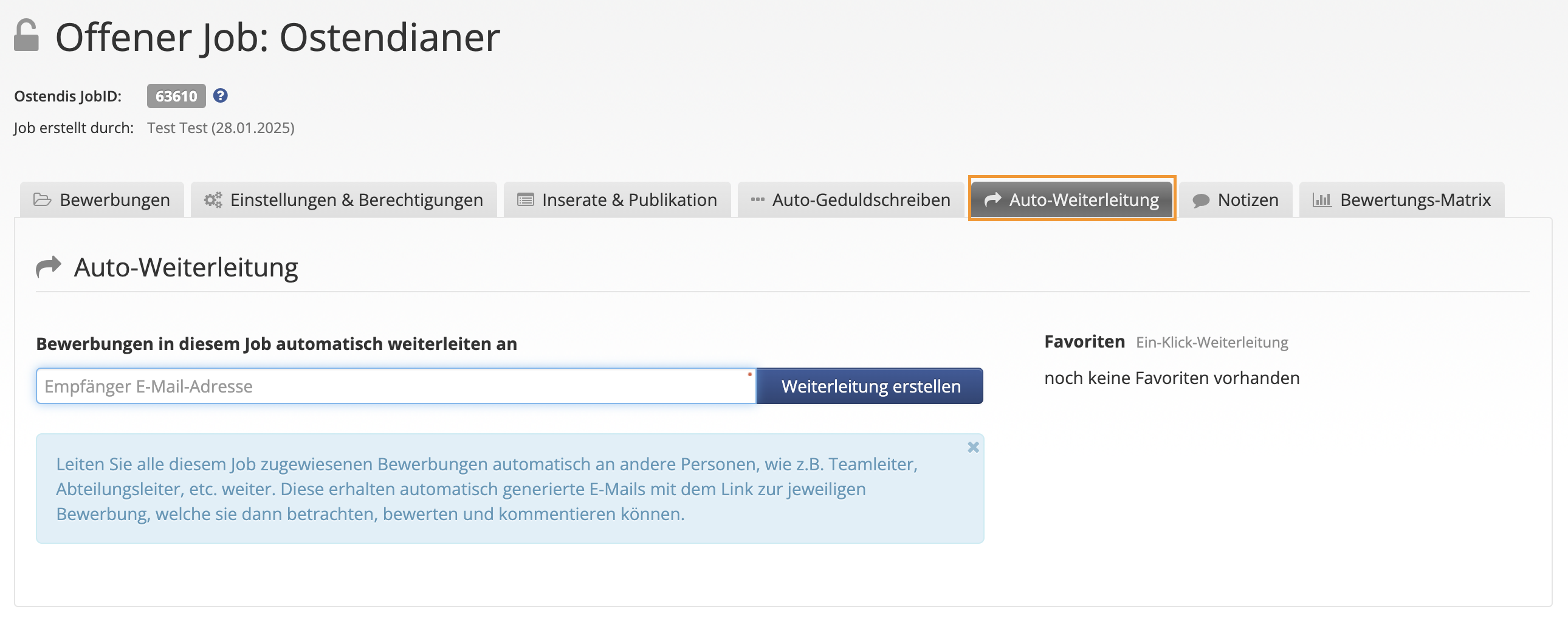
If certain people should always receive all applications for a job, you can set up Auto-Forwarding directly in the open job. This automatically forwards all incoming applications to the designated recipients. To do this, go to the “Auto-Forwarding” tab in the job and enter the corresponding email address.

Individual Forwarding of Applications

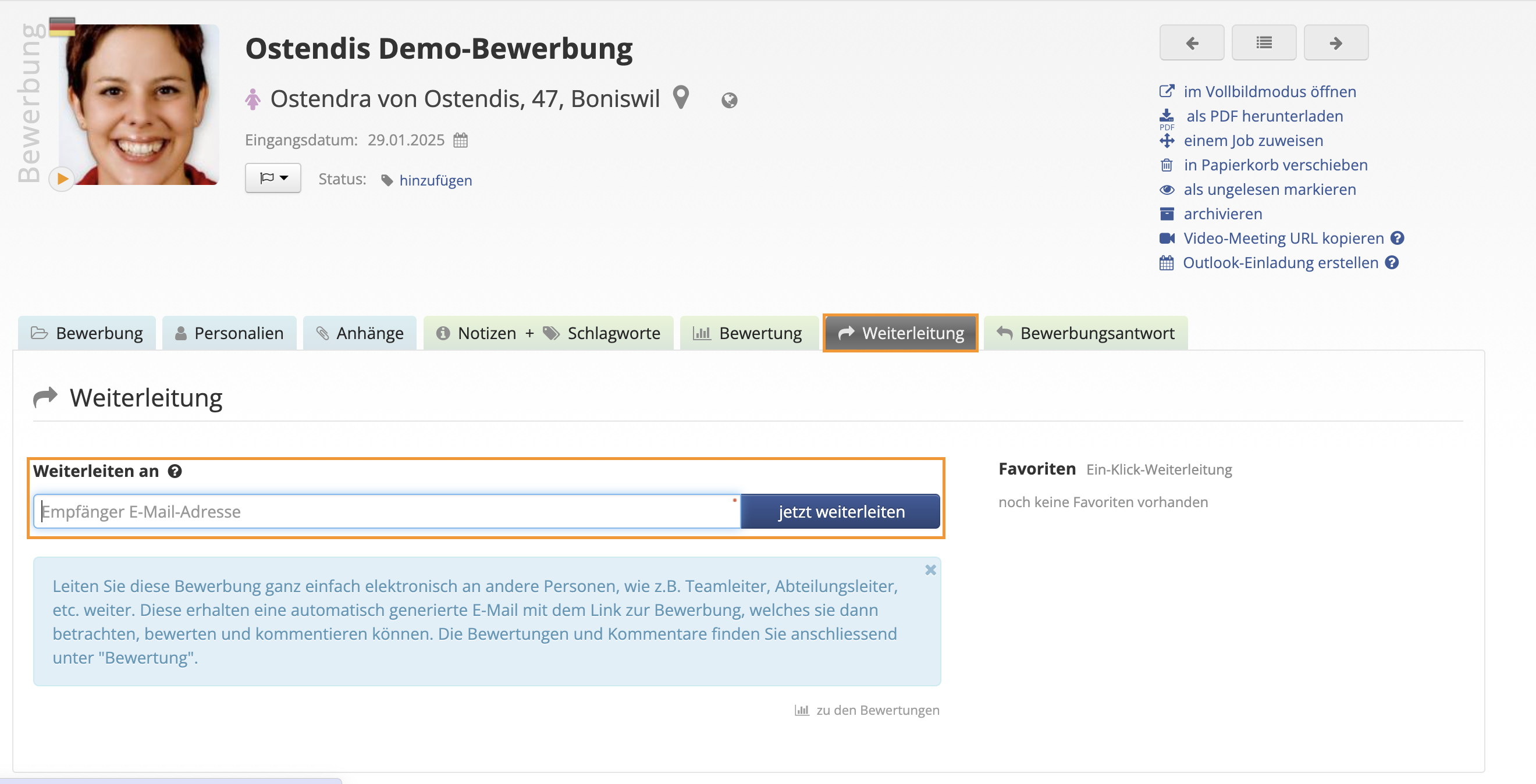
Open the application and switch to the “Forwarding” tab. There you can forward the application specifically to the responsible person.

Forward Multiple Applications Simultaneously

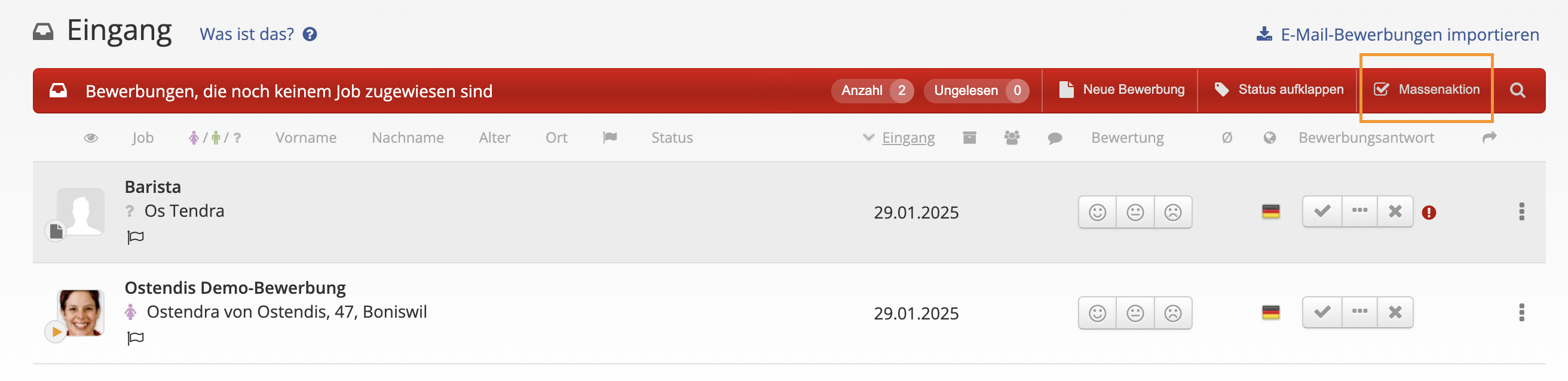
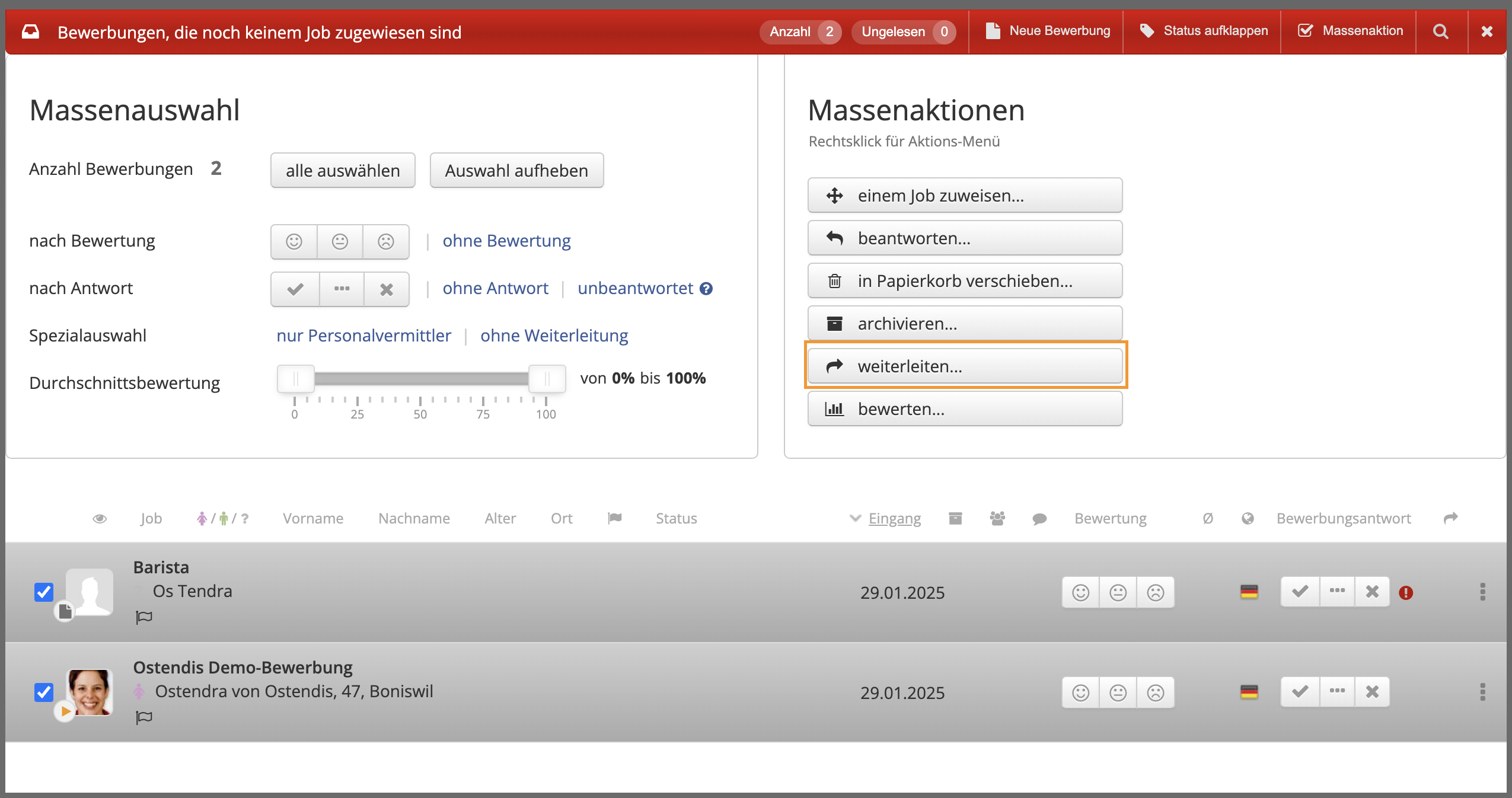
Click on “Mass Action”, select the relevant applications and then click on “Forward”. Afterward, you can enter the email address of the department and send the applications.

Wie hilfreich war dieser Beitrag?

Topic Areas

First Steps
Get Started with Ostendis! Here you'll find everything you need for onboarding.
Account
All information about passwords, users & more related to your Ostendis account.
Job Advertisement & Multiposting
Create and publish your jobs quickly and efficiently.
Application Management
Discover the most important features of Ostendis and optimize your recruiting.
Technical
Solutions for technical questions, system requirements and integrations.
Login Ostendis (ODM)

Topic Areas

First Steps
Get Started with Ostendis! Here you'll find everything you need for onboarding.
Account
All information about passwords, users & more related to your Ostendis account.
Job Advertisement & Multiposting
Create and publish your jobs quickly and efficiently.
Application Management
Discover the most important features of Ostendis and optimize your recruiting.
Technical
Solutions for technical questions, system requirements and integrations.
Login Ostendis (ODM)