
How Can I Coordinate an Appointment with Applicants – Including Team Availability?

In Ostendis, you can easily schedule an appointment with applicants while considering the availability of your internal employees – thanks to the Outlook integration.

Here's How It Works

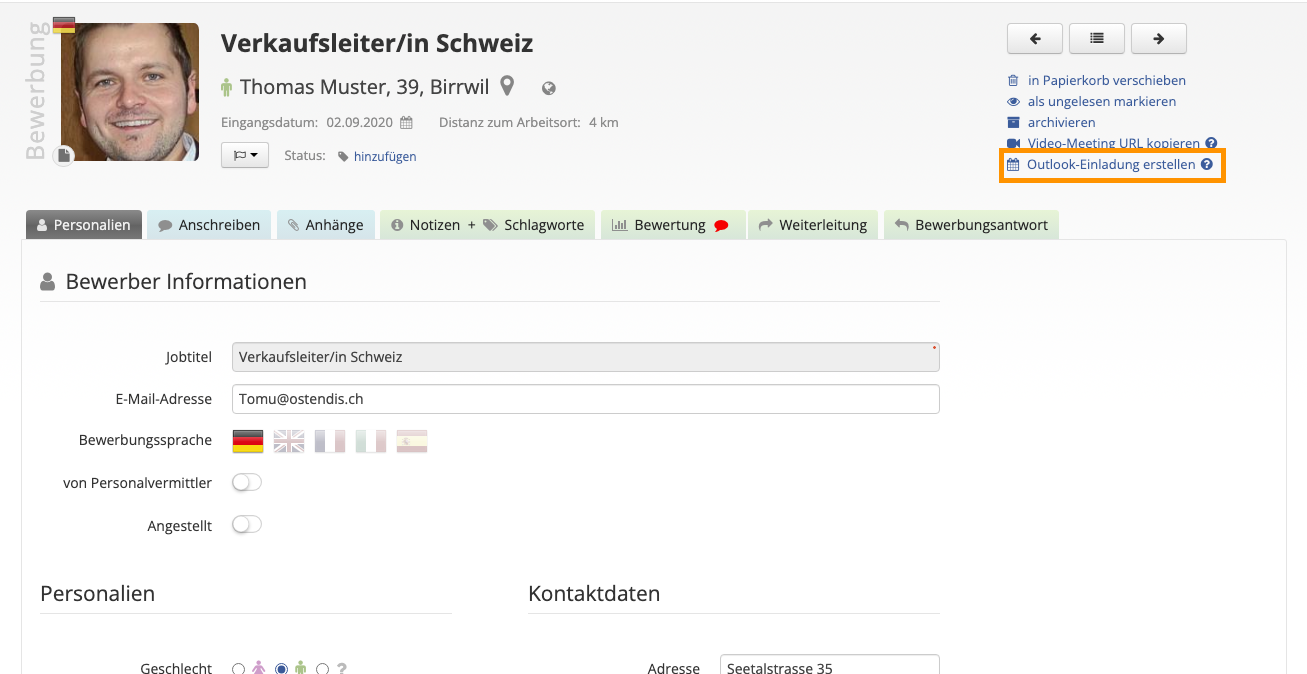
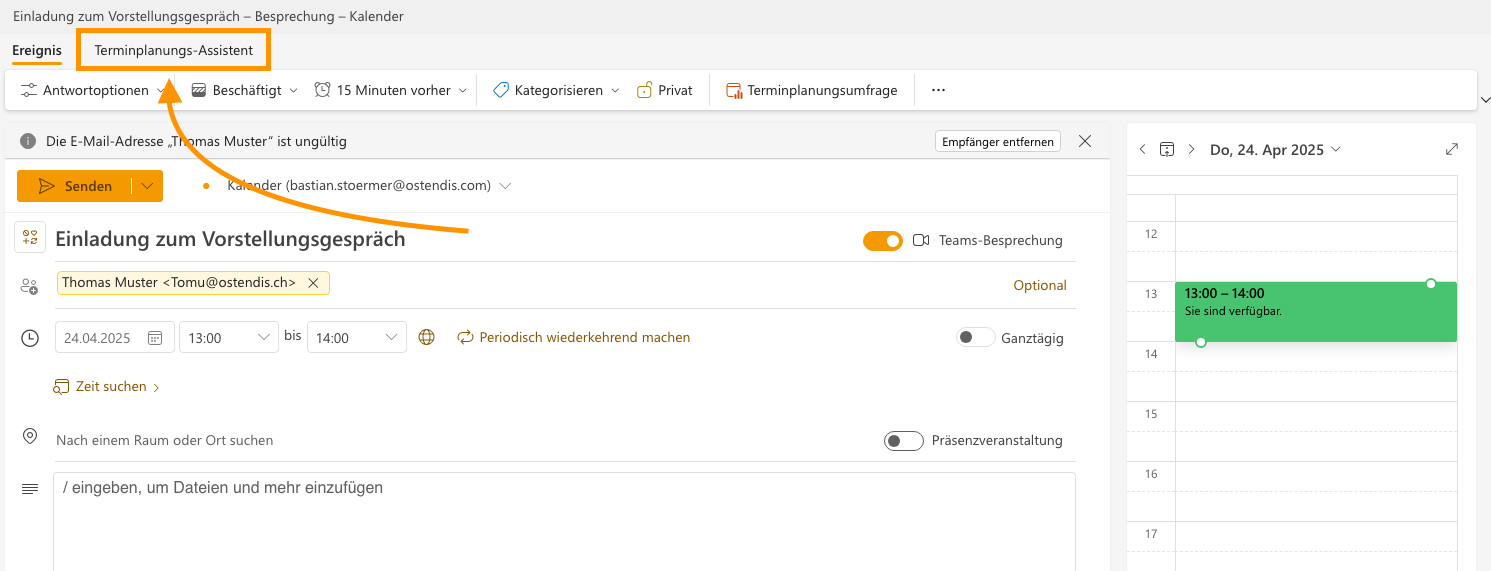
To do this, click on “Create Outlook Invitation” in the top right corner of the application. The familiar Outlook calendar window will automatically open, where elements such as the invitation title and the email address of the candidate are already pre-filled.
Scheduling Assistant

For coordinating appointments together, you can use the Scheduling Assistant in Outlook as usual. This allows you to see at a glance when internal participants are available and quickly find a suitable time slot for everyone involved.
💡 Tip: With just a few clicks, you can save yourself the back-and-forth communication and efficiently find a time that works for everyone.

Wie hilfreich war dieser Beitrag?

Topic Areas

First Steps
Get Started with Ostendis! Here you'll find everything you need for onboarding.
Account
All information about passwords, users & more related to your Ostendis account.
Job Advertisement & Multiposting
Create and publish your jobs quickly and efficiently.
Application Management
Discover the most important features of Ostendis and optimize your recruiting.
Technical
Solutions for technical questions, system requirements and integrations.
Login Ostendis (ODM)

Topic Areas

First Steps
Get Started with Ostendis! Here you'll find everything you need for onboarding.
Account
All information about passwords, users & more related to your Ostendis account.
Job Advertisement & Multiposting
Create and publish your jobs quickly and efficiently.
Application Management
Discover the most important features of Ostendis and optimize your recruiting.
Technical
Solutions for technical questions, system requirements and integrations.
Login Ostendis (ODM)