
How Can I Reactivate a Job?

If a job was accidentally closed or needs to be used again, you can easily reactivate it.

Reactivate Job

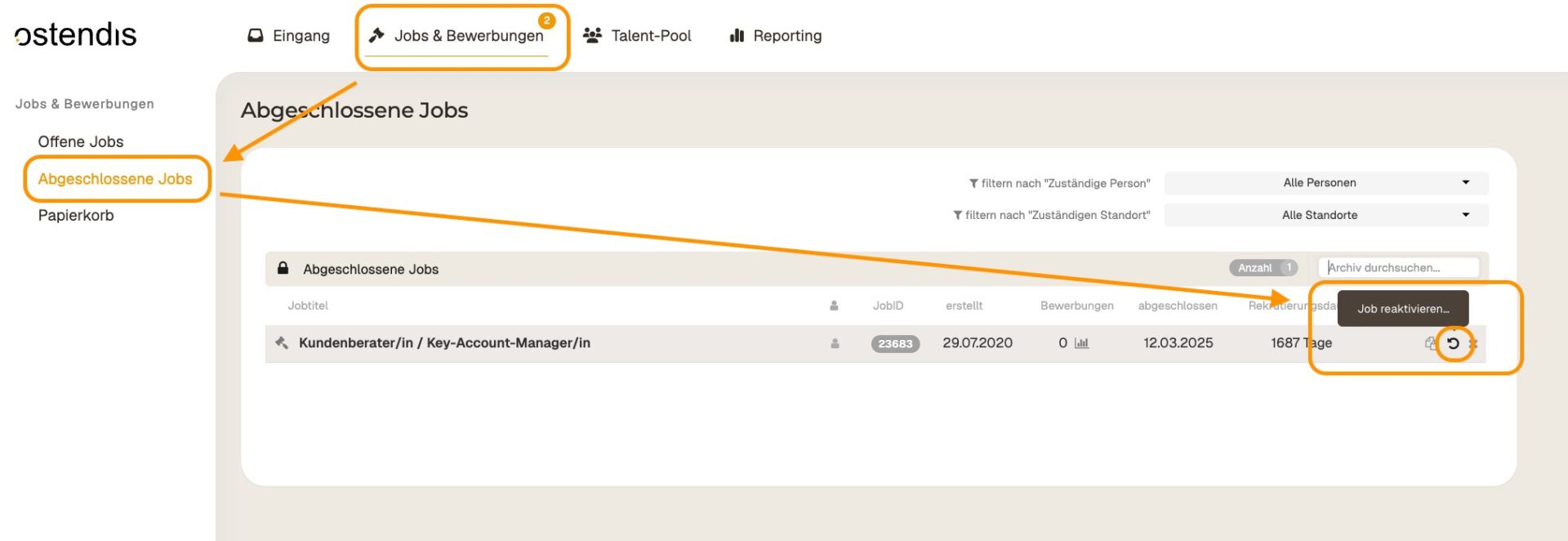
Open the job overview and find the completed job. Click “Completed jobs” to show all archived jobs.

Select the desired job and reactivate it.
Candidates in the Reactivated Job

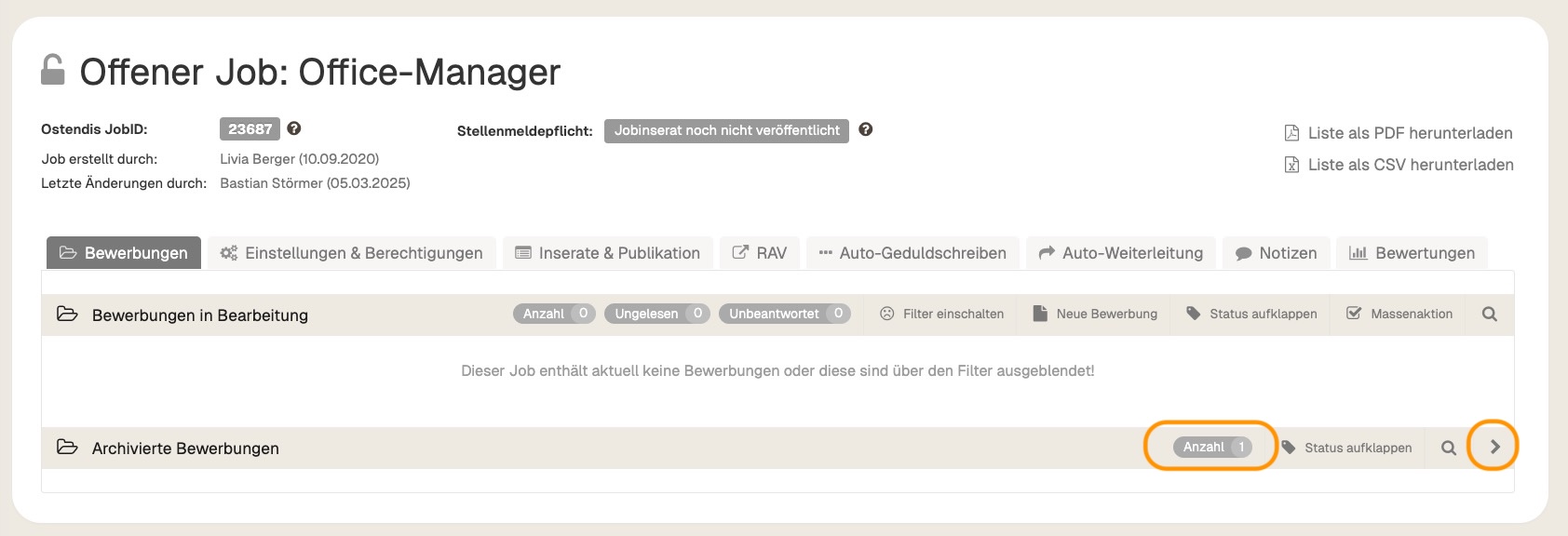
All existing applications are retained but remain archived. You can recognize this by the number of applications in the job.
Reactivate Candidates

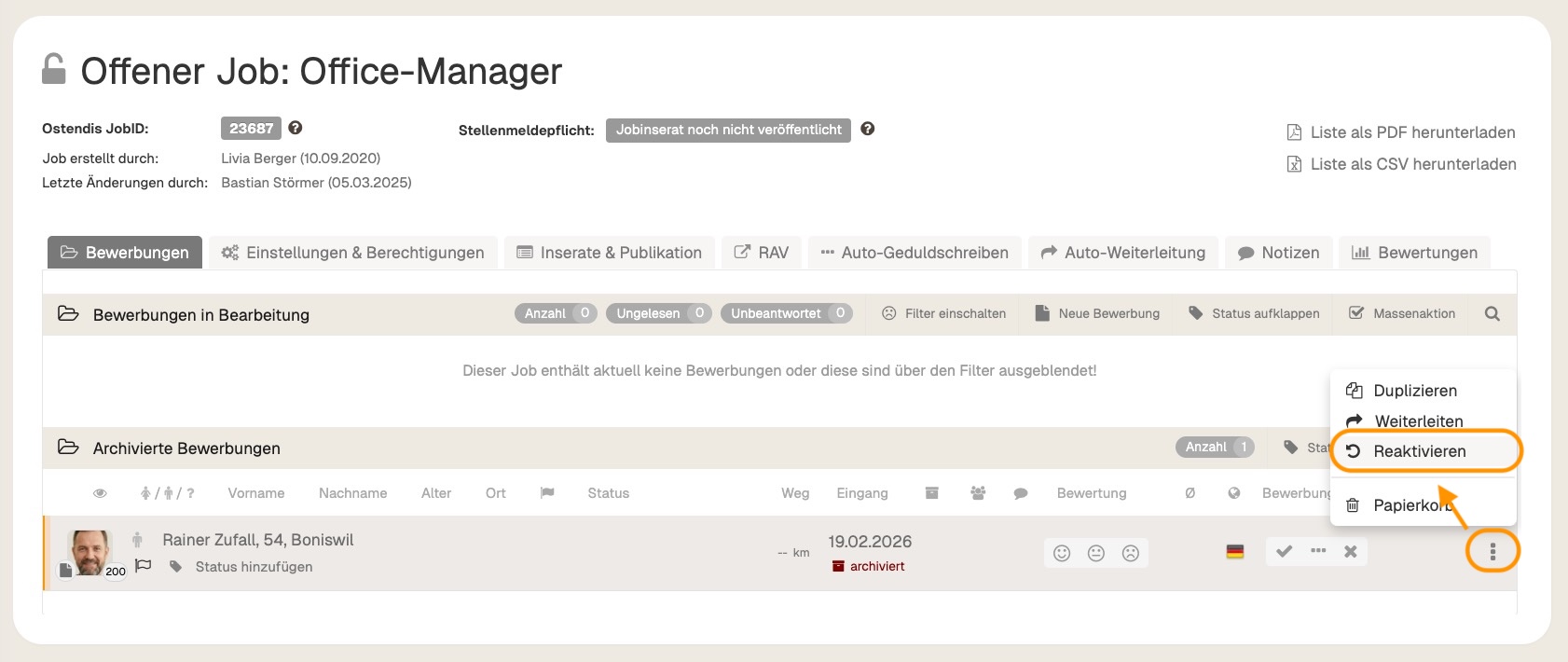
All existing applications are retained but remain archived. You can recognize this by the number of applications in the job. If you want to actively process an archived application again, you can click on the three dots next to the respective candidate and select “Reactivate”. This will remove the application from the archive and display it again in the active application process.
💡 Tip: This way, you can flexibly manage jobs and candidates and continue to work on them even after reactivation.

Wie hilfreich war dieser Beitrag?

Topic Areas

First Steps
Get Started with Ostendis! Here you'll find everything you need for onboarding.
Account
All information about passwords, users & more related to your Ostendis account.
Job Advertisement & Multiposting
Create and publish your jobs quickly and efficiently.
Application Management
Discover the most important features of Ostendis and optimize your recruiting.
Technical
Solutions for technical questions, system requirements and integrations.
Login Ostendis (ODM)

Topic Areas

First Steps
Get Started with Ostendis! Here you'll find everything you need for onboarding.
Account
All information about passwords, users & more related to your Ostendis account.
Job Advertisement & Multiposting
Create and publish your jobs quickly and efficiently.
Application Management
Discover the most important features of Ostendis and optimize your recruiting.
Technical
Solutions for technical questions, system requirements and integrations.
Login Ostendis (ODM)