In Ostendis, application files – whether archived or still in a job – remain until you deliberately delete them manually via data cleanup. Ostendis never automatically deletes applications without your intervention.
The responsibility for deletion lies with the company (Data Protection & Terms and Conditions).
How does data cleanup actually work?
Very important: Data cleanup does not distinguish between whether an application has been archived or
is still in the job.
The following applies: All applications older than the period you defined will be suggested for deletion.
1. How to clean up your data manually
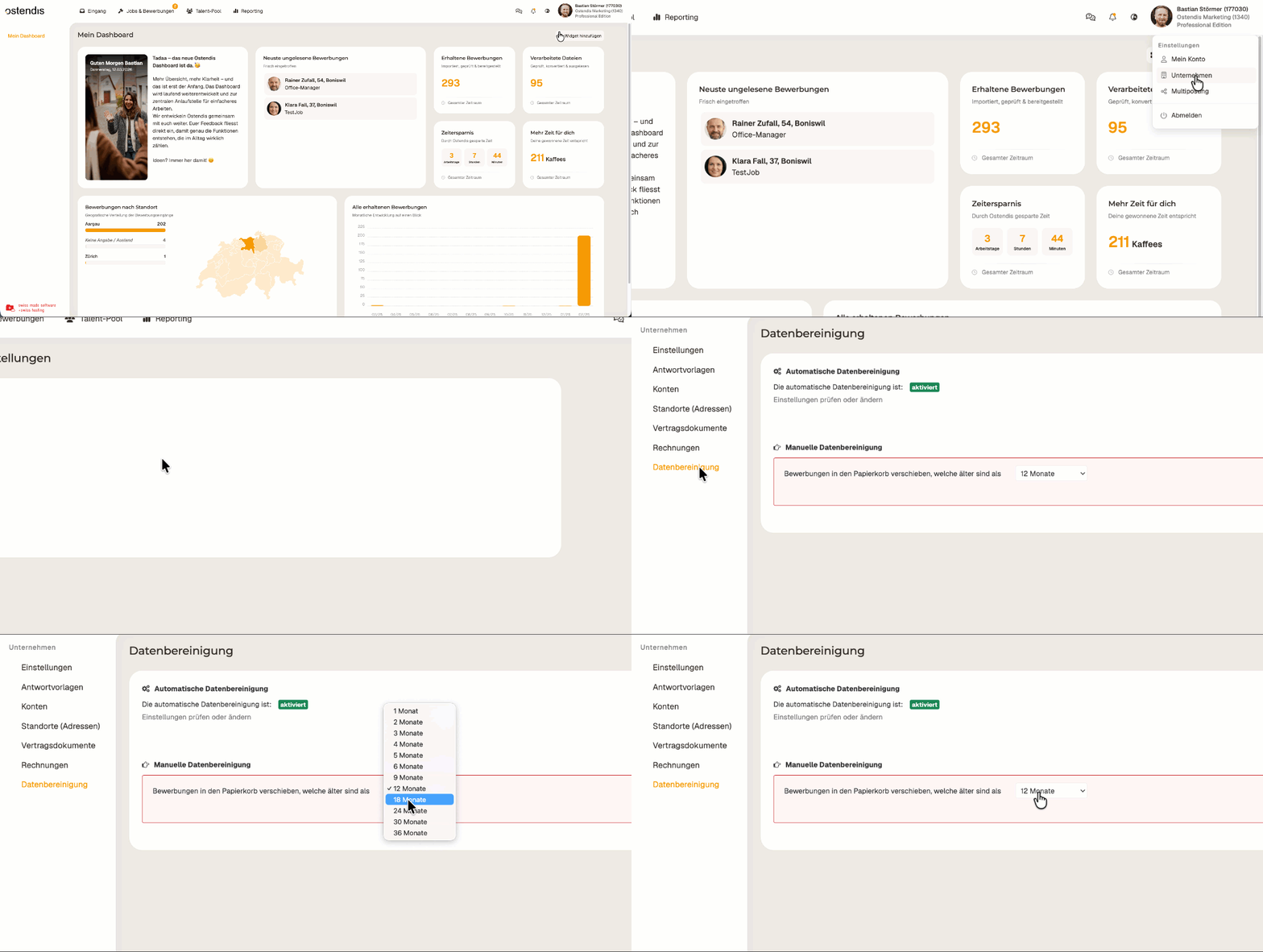
In Ostendis, go to Company → Data Cleanup
Select the desired period (e.g., “older than 24 months”)
Ostendis now shows you how many applications are affected by this rule
Check the list
Click “Cleanup” to permanently trigger the deletion
2. Activate automatic data cleanup
You define the retention period (from the date of receipt) – Ostendis takes care of the rest. Affected applications are automatically moved to the trash and remain available there for 90 days before being permanently deleted.
Important:
Applications with the status “hired” are excluded from automatic data cleanup.
How to activate automatic data cleanup
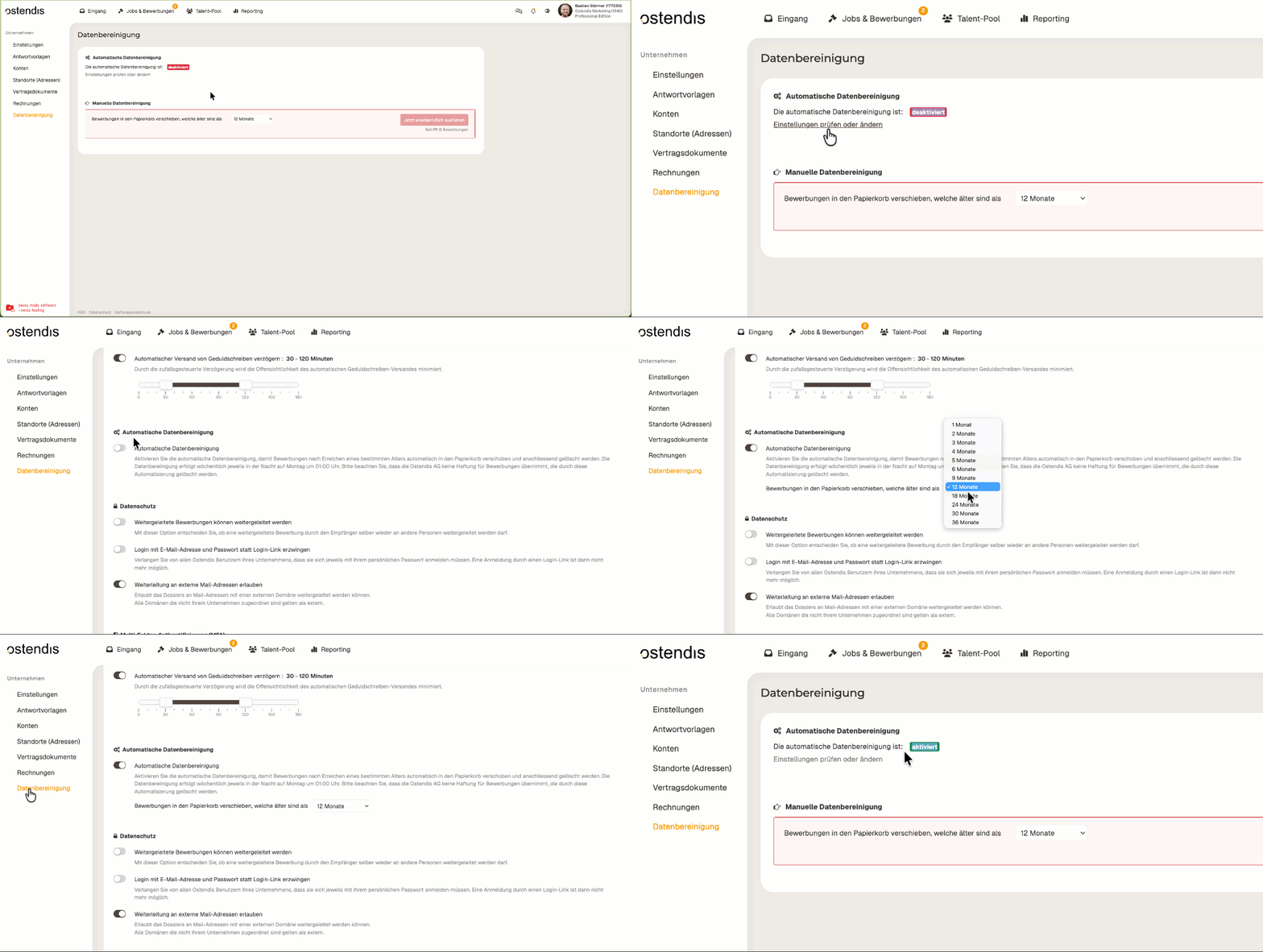
Go to Company > Data Cleanup.
There you will see the current status of automatic data cleanup as well as a direct link to the settings.Open the Settings and first activate automatic data cleanup.
Then set the frequency.
This can be selected between 1 and 36 months.Data cleanup occurs automatically every week on Monday at 1:00 AM.
⚠️ Note:
Upon activation, applications will be automatically deleted once they reach the defined age. Ostendis AG accepts no liability for applications deleted by this automation.
Wie hilfreich war dieser Beitrag?