
How can I change the font size in the holding letter?

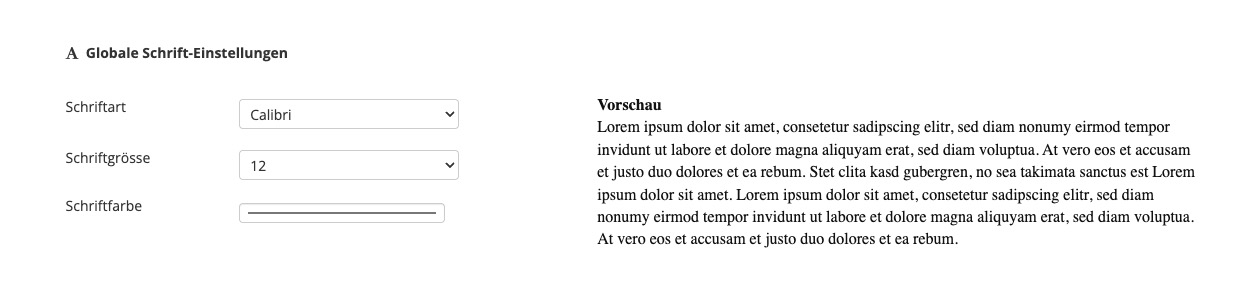
The font size of your response templates – including the signature – can be set centrally in the company settings. This ensures that all templates are displayed consistently.

To do this, in Ostendis, go to Company -> Settings and scroll to the “Global Font Settings” section. There you can define the desired font size for all response templates.

Wie hilfreich war dieser Beitrag?

Themenbereiche

Erste Schritte
Starte mit Ostendis! Hier findest du alles, was du für den Einstieg brauchst.
Konto
Alle Infos zu Passwort, Benutzern & mehr rund um dein Ostendis-Konto.
Stelleninserat & Multiposting
So erstellst und veröffentlichst du deine Jobs schnell und effizient.
Bewerbungsmanagement
Entdecke die wichtigsten Features von Ostendis und optimiere dein Recruiting.
Technisches
Lösungen für technische Fragen, Systemanforderungen und Integrationen.
Login Ostendis (ODM)

Topic Areas

First Steps
Get Started with Ostendis! Here you'll find everything you need for onboarding.
Account
All information about passwords, users & more related to your Ostendis account.
Job Advertisement & Multiposting
Create and publish your jobs quickly and efficiently.
Application Management
Discover the most important features of Ostendis and optimize your recruiting.
Technical
Solutions for technical questions, system requirements and integrations.
Login Ostendis (ODM)
