
I Would like to Pause My Account – What Do I Have to Do?

If you don’t currently have a job opening and don’t want to use your Ostendis account for the time being, you can switch it from the Pro version to the Free version. From this point on, or the next day, you will no longer pay for Ostendis. Your data will be retained, and as soon as you want to fill a position again, you can activate the Professional Edition with one click.

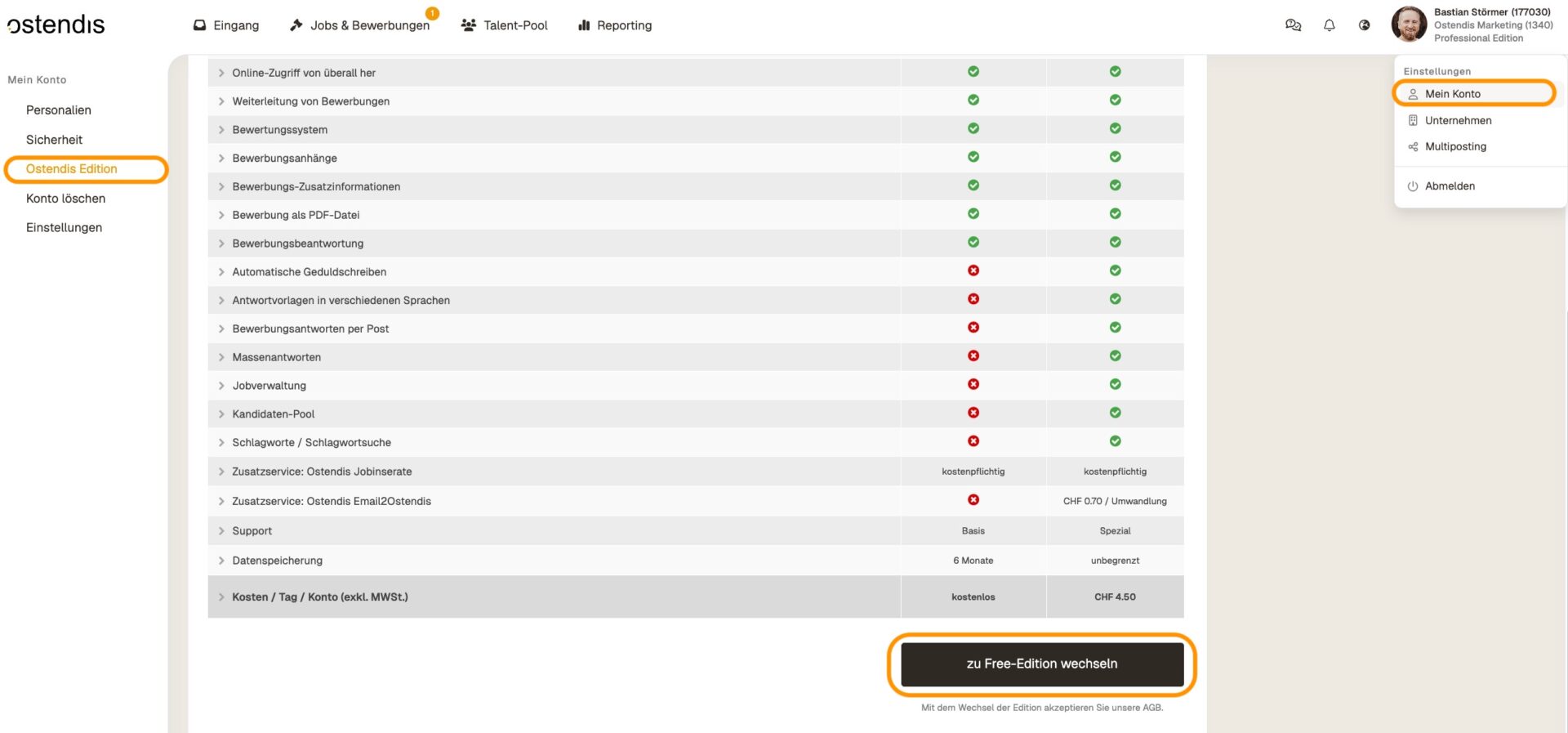
Here’s how to switch your account to the Free Edition:

  • In Ostendis, go to “My Account” > “Ostendis Edition”.
  • Scroll down and click the button to switch the edition from Professional to Free.
Wie hilfreich war dieser Beitrag?

Topic Areas

First Steps
Get Started with Ostendis! Here you'll find everything you need for onboarding.
Account
All information about passwords, users & more related to your Ostendis account.
Job Advertisement & Multiposting
Create and publish your jobs quickly and efficiently.
Application Management
Discover the most important features of Ostendis and optimize your recruiting.
Technical
Solutions for technical questions, system requirements and integrations.
Login Ostendis (ODM)

Topic Areas

First Steps
Get Started with Ostendis! Here you'll find everything you need for onboarding.
Account
All information about passwords, users & more related to your Ostendis account.
Job Advertisement & Multiposting
Create and publish your jobs quickly and efficiently.
Application Management
Discover the most important features of Ostendis and optimize your recruiting.
Technical
Solutions for technical questions, system requirements and integrations.
Login Ostendis (ODM)