
How do I assign rights to employees and what roles are available?

As a company administrator, you can control which rights the Ostendis accounts in your company receive. To do this, go to “Company” > “Accounts”, where you can set the desired permissions for each account.
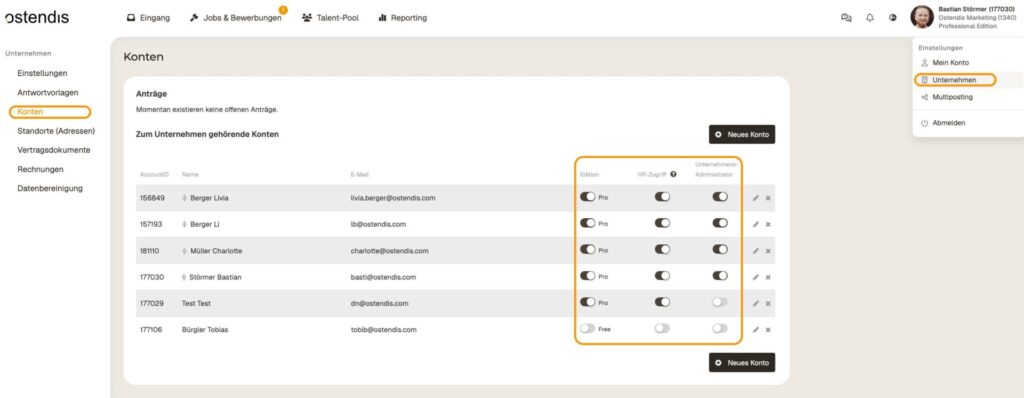
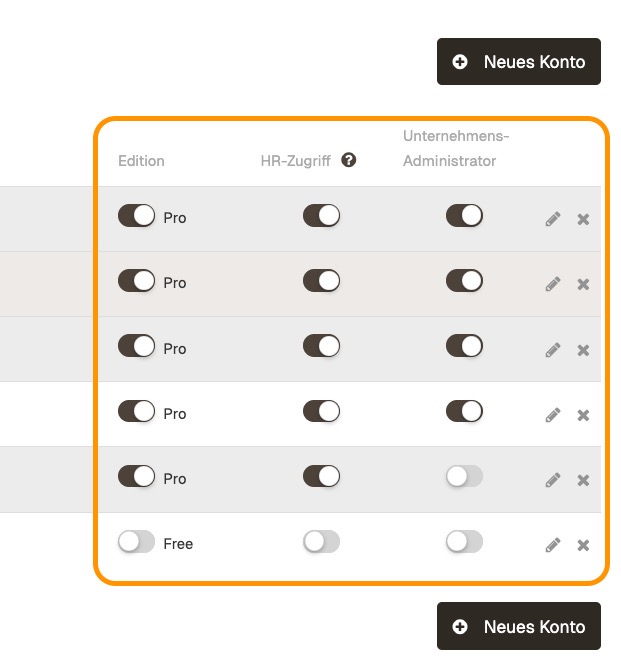
Available rights and roles:
  • Activate or deactivate Pro Edition → Turns on or off the paid Professional Edition for the account.
  • Grant HR access → Allows access to all jobs and applications of the company. Without HR access, the account can only access explicitly assigned jobs and applications.
  • Activate or deactivate administrator rights → Grants administrator rights to manage company and account settings.

Additionally, in this view, you can manage company join requests and upgrade requests for the Professional Edition.
Wie hilfreich war dieser Beitrag?

Topic Areas

First Steps
Get Started with Ostendis! Here you'll find everything you need for onboarding.
Account
All information about passwords, users & more related to your Ostendis account.
Job Advertisement & Multiposting
Create and publish your jobs quickly and efficiently.
Application Management
Discover the most important features of Ostendis and optimize your recruiting.
Technical
Solutions for technical questions, system requirements and integrations.
Login Ostendis (ODM)

Topic Areas

First Steps
Get Started with Ostendis! Here you'll find everything you need for onboarding.
Account
All information about passwords, users & more related to your Ostendis account.
Job Advertisement & Multiposting
Create and publish your jobs quickly and efficiently.
Application Management
Discover the most important features of Ostendis and optimize your recruiting.
Technical
Solutions for technical questions, system requirements and integrations.
Login Ostendis (ODM)