
How can I delete the account of a former employee?

When an employee leaves the company, you can delete their Ostendis account in two ways:

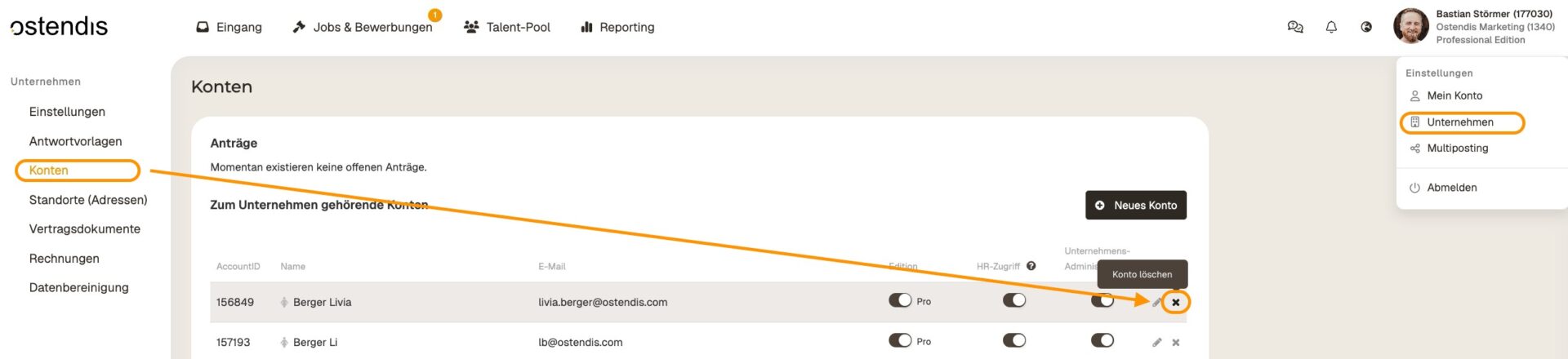
As a company administrator

  • Go to “Company” > “Accounts”.
  • Find the corresponding account and click on the cross icon to delete it.

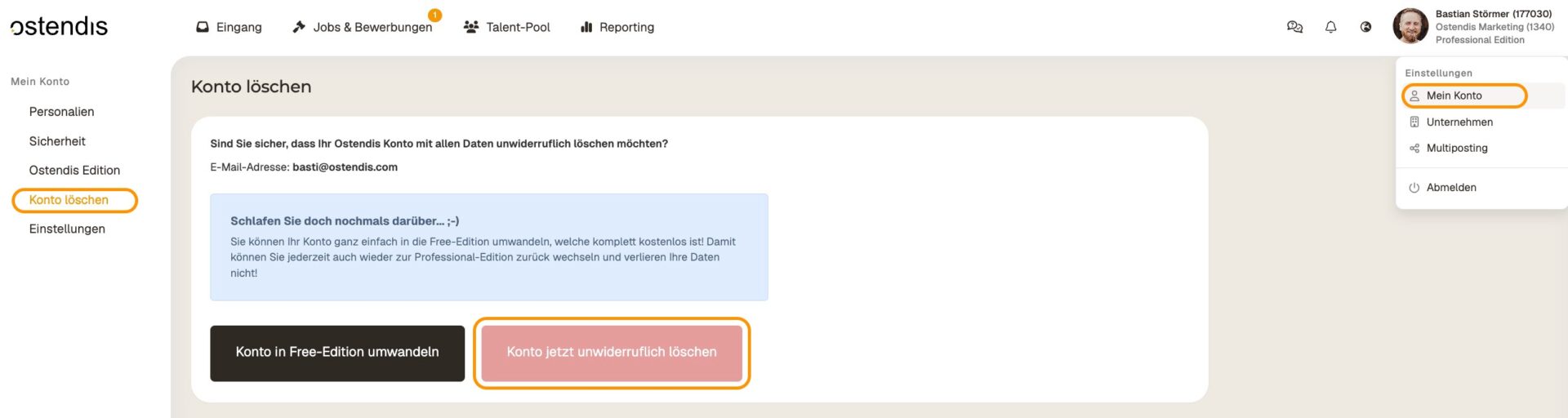
If the employee wants to delete the account themselves:

  • Go to “My Account” > “Delete Account” and confirm the deletion.

ATTENTION

Deleted accounts cannot be restored. Make sure that no important data is needed anymore before removing the account.

Wie hilfreich war dieser Beitrag?

Topic Areas

First Steps
Get Started with Ostendis! Here you'll find everything you need for onboarding.
Account
All information about passwords, users & more related to your Ostendis account.
Job Advertisement & Multiposting
Create and publish your jobs quickly and efficiently.
Application Management
Discover the most important features of Ostendis and optimize your recruiting.
Technical
Solutions for technical questions, system requirements and integrations.
Login Ostendis (ODM)

Topic Areas

First Steps
Get Started with Ostendis! Here you'll find everything you need for onboarding.
Account
All information about passwords, users & more related to your Ostendis account.
Job Advertisement & Multiposting
Create and publish your jobs quickly and efficiently.
Application Management
Discover the most important features of Ostendis and optimize your recruiting.
Technical
Solutions for technical questions, system requirements and integrations.
Login Ostendis (ODM)