
You can publish your job posting for a fee via Prospective in the “Jobs” section on LinkedIn or share it for free as a post. With the free post, you have two options: you share the job posting or just the application link, which leads directly to the CVdropper.
Before you start, your job posting should be fully created and prepared for publication. Additionally, save the URL of your LinkedIn company profile under Company → Settings → LinkedIn Company Profile.
How to proceed
Option 1: Publish in the "Jobs" section
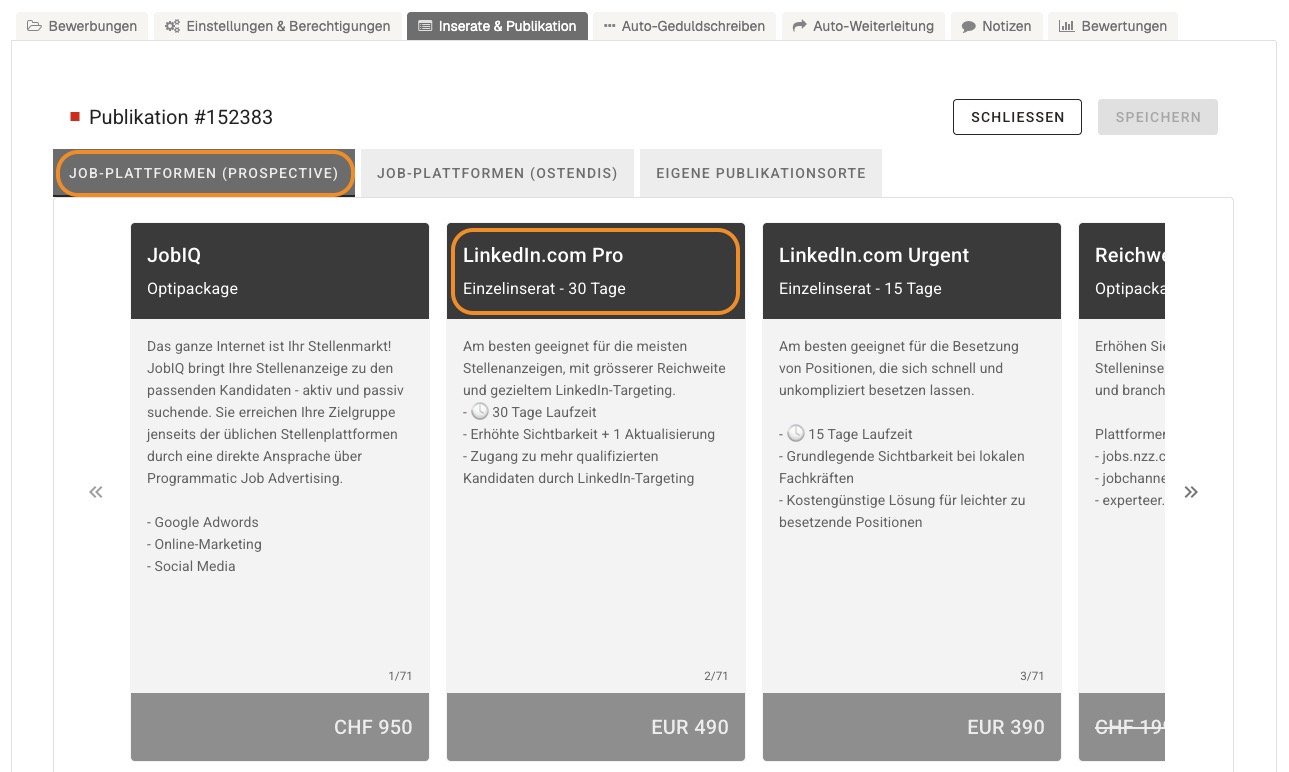
Through Prospective, you can publish your job posting directly in the “Jobs” section on LinkedIn. This option is subject to a fee. You select the publication in Ostendis and determine the period during which the posting should appear on LinkedIn.
- Open the desired posting in Ostendis.
- Switch to the “Postings & Publications” tab.
- Click on “New Publication”. The publication types from Prospective will be displayed.
- Select “LinkedIn”.
- Set the start and end date for the publication and save it.
Option 2: Share as a post on LinkedIn
You can share your job vacancy for free as a post on LinkedIn. You decide whether you want to publish the job posting or just the direct application link. With the application link, interested parties go directly to the CVdropper without viewing the posting.
Share job posting
Via the LinkedIn logo in Ostendis, you open a prepared post that already contains your job posting. On LinkedIn, you add a suitable message and publish the post.
- Open the desired posting in Ostendis.
- Switch to the “Postings & Publications” tab.
- Click on the LinkedIn logo under publications.
- LinkedIn opens in a new window. Log in if you are not already logged in.
- Add a suitable message to the prepared post and publish it.
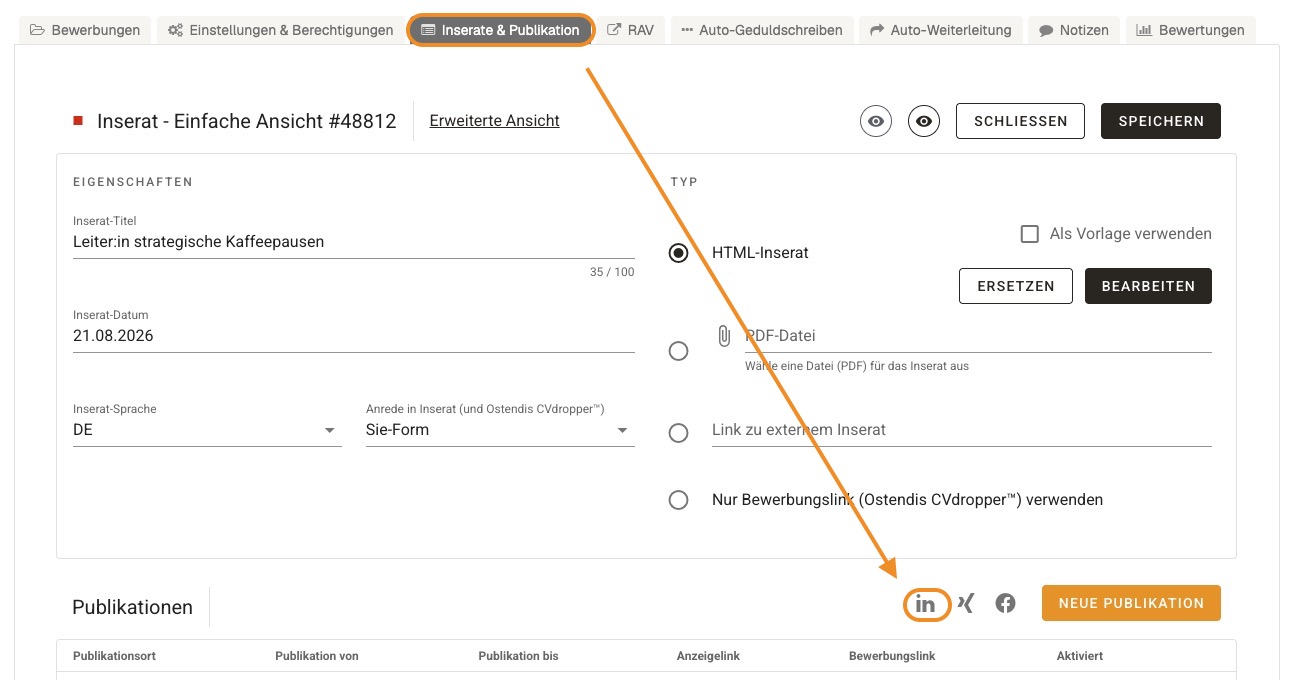
Subsequently, LinkedIn is automatically entered as a new publication site under publications.
Share application link
If you only want to share the application link, first create your own publication for LinkedIn in Ostendis. Then activate the link and paste it into your LinkedIn post.
- Open the desired posting and switch to “Postings & Publications”.
- Click on “New Publication”.
- Select the “Custom Publication Sites” tab.
- Open the selection at the arrow and select “LinkedIn” as the publication site.
- Set the publication period and save the publication.
- Activate the application link via the toggle on the newly created publication.
- Click on the application link and copy it.
- Create a post on LinkedIn, paste the link, and publish the post.

💡 Note: The application link must be activated so that applicants can use it.
Wie hilfreich war dieser Beitrag?